Beautify: AI Hairstyle Try On
IdeaLabs.Beauty
3.734.00 Reviews
- Version
- 1.2.0
- Installs
- 100.00K
- Age Rating
- Everyone
Screenshots
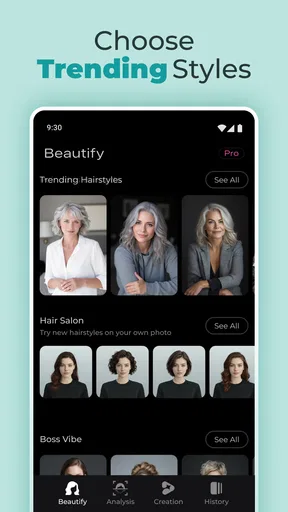
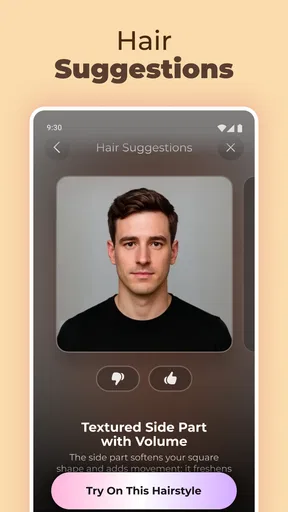
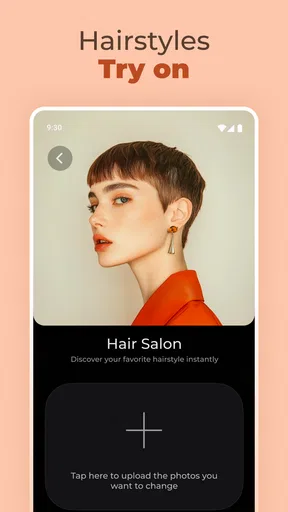
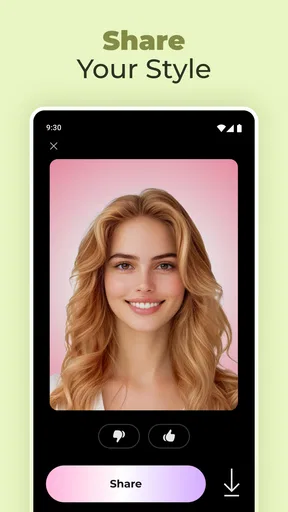
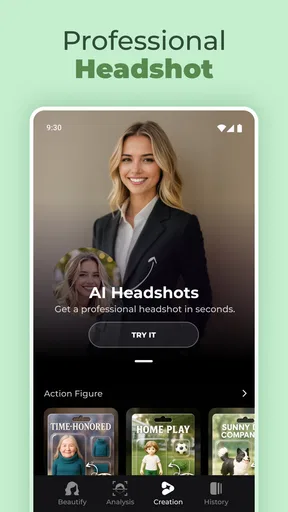
Our Review of Beautify: AI Hairstyle Try On
 Analysis by Appyee
When I’m considering a haircut or a new color, I want a preview before I make a change I have to live with. Beautify: AI Hairstyle Try On gives me a quick way to explore possibilities using a photo, which makes it most useful as a visual brainstorming tool rather than a substitute for a stylist’s advice. I’d turn to it when I’m curious, undecided, or looking for a reference image to take to a salon.
A repeatable starting point makes comparisons fairer
The most useful habit is to begin with one clear, front-facing photo and keep it for the first round of comparisons. If I switch between photos with different lighting, angles, or expressions, it becomes harder to tell whether I prefer the hairstyle or simply the picture. A neutral expression and hair kept away from the face also make the preview easier to judge. These are practical photo-taking tips, not special app controls, but they can make a noticeable difference to how useful the results feel.
I’d first test a style close to my current length, then move toward bigger changes. That gives me a visual baseline: I can see whether the app’s rendering suits my face before treating a dramatic cut or unfamiliar shade as meaningful evidence. It also helps separate two questions that are easy to mix up: “Do I like this style?” and “Does this preview look convincing?” A look can be appealing even when the digital fit is imperfect.
Check the picture before judging the preview
Before trying colors, I’d look at the original photo’s lighting and existing hair. Strong shadows, colored indoor light, or hair blending into the background can make a shade look different from what I expect. If a color seems unusually intense or dull, I wouldn’t assume that is how it would appear in real life. I’d retake the photo in even daylight and compare again before using the result as inspiration.
There is a similar trade-off with hair shape. A still image can suggest a cut’s outline, but it cannot show how the hair moves, falls after washing, or behaves in humidity. I treat a preview as a way to decide what questions to ask a stylist, not as a promise that a cut will sit exactly the same way on my head. For a major change, bringing a few reference looks and explaining what I like about each is more useful than relying on a single generated image.
Use a small shortlist instead of endless experimenting
It is easy to keep tapping through styles because each change is quick. To make the session more useful, I’d choose a simple goal first: perhaps comparing shorter lengths, finding a warmer color direction, or deciding whether bangs are worth discussing. Then I’d save or share only the strongest candidates, if that option suits my workflow, rather than treating every playful experiment as a serious contender. A short list is easier to compare later and less likely to leave me overwhelmed.
One realistic use is getting ready for a salon consultation after work. I could take a well-lit photo at home, explore a few cuts during a spare moment, and bring two or three references to the appointment. I would describe the practical details too—how much styling I’m willing to do and how often I want to maintain the shape—because a flattering image alone cannot answer those questions. That makes the app a starting point for a better conversation, not a decision-maker.
Who benefits most, and where another option may be better
I think this kind of beauty app suits people who enjoy visual experimentation but want to avoid committing immediately. It can help someone who is choosing between familiar options, preparing for a consultation, or simply having fun with a dramatic color they would not ordinarily try. It is also a low-pressure way to collect ideas before deciding whether a change is worth pursuing.
If I needed a precise assessment of texture, curl pattern, maintenance, or how a cut will work with my daily routine, I’d put more weight on a conversation with a hair professional. A general photo editor may be better for subtle manual adjustments, while a salon consultation is better for advice grounded in the condition and behavior of real hair. Beautify sits between those options: more focused on trying looks than ordinary editing, but not a replacement for hands-on expertise.
What to expect from the app and its costs
IdeaLabs develops this free beauty app, and its audience rating averages 3.7 from around 600 ratings. It has passed 50,000 installs, carries an Everyone age rating, and version 1.2.0 requires Android 7.0 or later. Those figures give a sense of its reach, but they do not tell me whether a particular hairstyle preview will suit my photo; the quality of the image I start with still matters.
The app is free to download, with in-app purchases ranging from $9.99 to $39.99 per item. I’d explore the basic experience first and check what an optional purchase covers before paying, especially if I only want to test a few ideas. Someone who expects every look or tool to be included at no cost may find that distinction frustrating, so it is worth keeping in mind before settling into a long session.
My practical recommendation is to use it with a clear question, a consistent photo, and modest expectations about realism. If I’m only browsing for inspiration, I can enjoy the playful transformations; if I’m planning a substantial cut or color change, I’ll use the best previews as conversation starters and leave the final judgment to someone who can assess my hair in person. That balance is what makes the app useful without asking it to do more than a photo-based try-on can.
Ever found yourself daydreaming about a new hairstyle but too scared to commit? Well, I’ve got just the thing for you! I recently stumbled upon Beautify: AI Hairstyle Try On, and let me tell you, it’s a game-changer for anyone wanting to experiment with their look without the risk. Let me walk you through my experience with this nifty app.
Getting Started with Beautify
First off, downloading the app was a breeze. It’s available for both Android and iOS, so no one’s left out. Once I opened it, I was greeted with a sleek and user-friendly interface. The app asked me to either upload a photo or take a new one. Naturally, I went with a selfie – because who doesn’t love a good selfie session?
Once I had my picture ready, the app got to work. The AI behind Beautify: AI Hairstyle Try On is super impressive. It quickly mapped my face, identifying my features with precision. I was a bit skeptical initially, but the results were surprisingly accurate.
Trying On Hairstyles
Here’s where the fun began. The app boasts a vast library of hairstyles. From trendy bobs to luscious long locks, it’s got something for everyone. I decided to start with something bold – a pixie cut. With just a tap, the app transformed my look, and I was staring at a whole new me. The transition was seamless, and the hairstyle looked incredibly realistic on my photo.
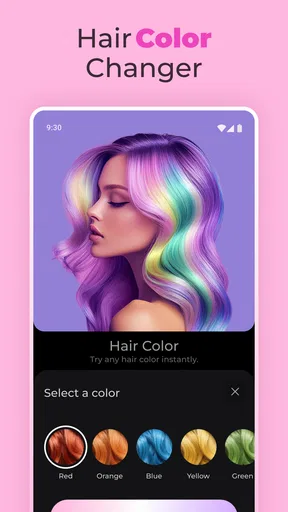
Next, I dived into the color options. Whether you’re into vibrant reds or subtle browns, the app lets you play around with various shades. I tried a bold purple just for kicks, and honestly, I kind of loved it! The app’s ability to let you visualize these dramatic changes is a standout feature.
Exploring Features
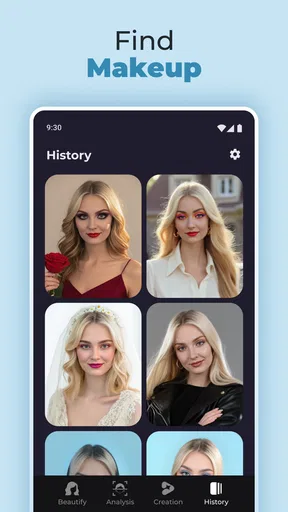
Apart from hairstyles, the app also offers makeup try-ons. Yes, you heard that right – it’s like having a mini salon right in your pocket. I experimented with different lip shades and eye shadows. The AI intelligently adjusted the makeup to suit my skin tone, which was a nice touch.
Another highlight is the app’s social sharing feature. After crafting the perfect look, I could easily share it with my friends on social media. It’s a fun way to get feedback or simply show off your virtual makeover prowess.
My Personal Take
Now, let’s talk about performance. The app runs smoothly, and I didn’t encounter any lag or crashes. It’s lightweight, ensuring it doesn’t hog your phone’s resources. The only downside? It’s a bit addictive. I spent way more time than I’d care to admit fiddling with different hairstyles and makeup looks.
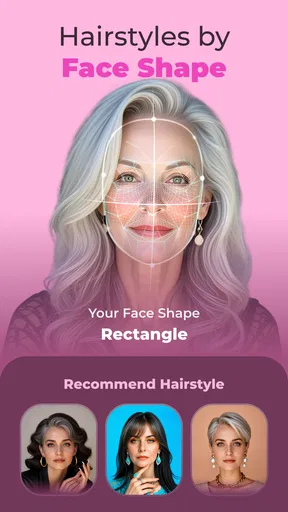
One thing I’d love to see in future updates is a feature that suggests hairstyles based on your face shape. While the current options are vast, a personalized touch would elevate the app even more.
Final Thoughts
In conclusion, if you’re someone who loves to experiment with their look or just wants to visualize a potential change, Beautify: AI Hairstyle Try On is a must-try. It’s an entertaining and practical tool that brings the salon experience right to your phone. Plus, it’s a fantastic way to avoid any post-haircut regrets!
So, why not give it a whirl? You might just discover your next favorite hairstyle. And who knows, maybe I’ll see you rocking that purple hair on social media!
Verdict
Strengths of Beautify: AI Hairstyle Try On
- Realistic hairstyle simulations.
- Wide variety of styles available.
- Easy-to-use interface.
- No in-app purchases required.
- Fast processing time.
Limitations of Beautify: AI Hairstyle Try On
- Limited customization options.
- Occasional app crashes.
- Requires internet connection.
- Ads can be intrusive.
- Limited color options.
Other Releases by IdeaLabs.
View All
Arvin® - AI Logo Maker
Art & Design4.8

YayTalk: Speak & Learn English
Education4.9
Similar Picks in This Category
View All
Beauty Makeup Editor & Camera
Photo & Video Editors - Instant Solution4.7

Perfect365: Face Makeup Editor
Perfect365, Inc.3.5

Mirror Plus - HD Mirror app
Digitalchemy, LLC4.8

Cute Lock Screen & Wallpapers
Prometheus Interactive LLC4.6

HD Camera for Android
One Music Player4.5

Phone Mirror app - True Mirror
Cards4.6
Frequently Asked Questions
What features does Beautify: AI Hairstyle Try On offer?
Beautify: AI Hairstyle Try On provides an array of features, including realistic hairstyle simulations using AI technology. Users can upload their photos and virtually try different hairstyles and colors. The app also offers personalized style recommendations and the ability to share your new look on social media, making it a comprehensive tool for hair makeover enthusiasts.
Is Beautify: AI Hairstyle Try On free to use?
The app offers a free version with basic features, but to access premium hairstyles and advanced customization, users may need to purchase a subscription. This model allows users to explore the app before committing to any purchases, ensuring they find value in the app's offerings before upgrading.
How accurate are the hairstyle simulations in the app?
The AI technology used in Beautify: AI Hairstyle Try On is designed to provide highly realistic simulations. While it may not be perfect, most users find the app’s accuracy satisfactory for visualizing potential hairstyle changes. The app continuously improves its algorithm to enhance realism and user satisfaction.
Can I use Beautify: AI Hairstyle Try On for professional purposes?
Yes, professionals such as hairstylists and salon owners can use the app to showcase different styles to clients. It serves as a visual aid to help clients make informed decisions about hairstyle changes, enhancing the consultation process and potentially boosting client satisfaction.
What devices are compatible with Beautify: AI Hairstyle Try On?
Beautify: AI Hairstyle Try On is available for both Android and iOS devices. The app requires a relatively modern device to ensure smooth operation, as older models may struggle with the app’s advanced AI features. Users should check compatibility on the respective app store before downloading.
